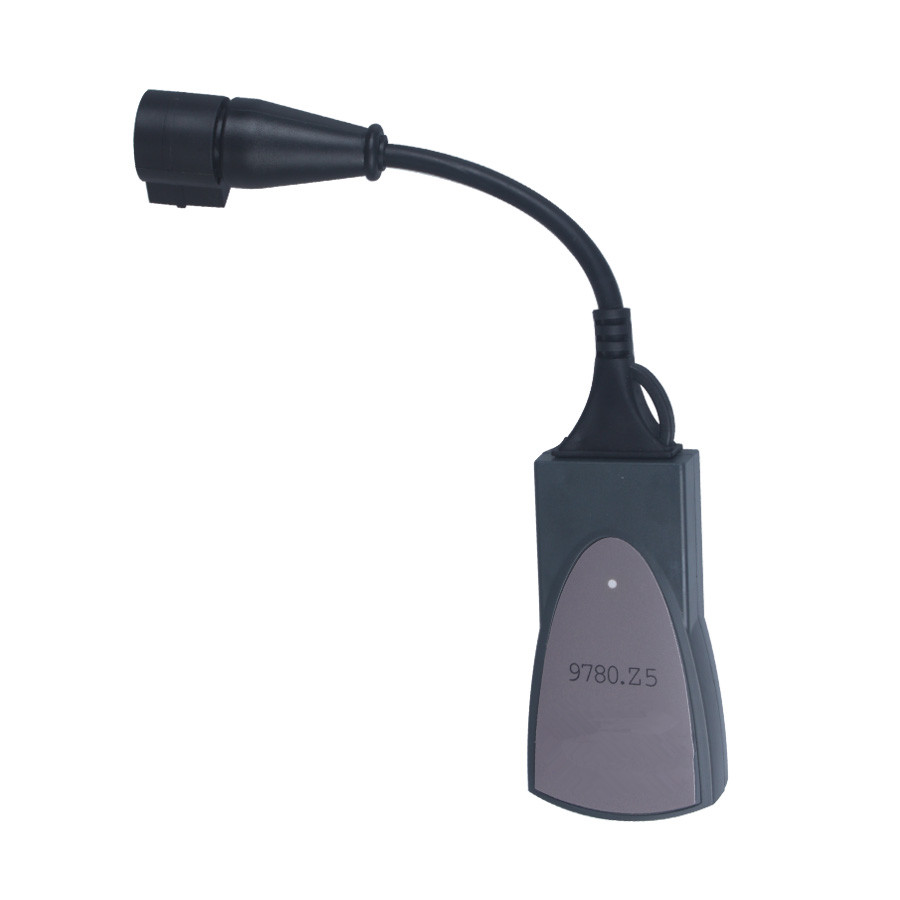
Showing posts with label Lexia 3 PP2000 Diagbox. Show all posts

Monday, March 18, 2019

PSA Diagbox software 8.50-8.54 download: FREE, NO PASS


Free download PSA Diagbox updates 8.53 + 8.54 for installations with 8.50:

APP_Update_8.50-8.54.exe     2.98 MB      Password = Simple

firmware-BT-lpc2468-FLASH.rar     53 KB     No Password

Diagbox 7.76 software via CD     No Password, Tested OK with Lexia 3 cable

Link is provided in the attachment for "APP_Update_850-854.exe". This is intended to update Lexia and PP2000 components of DiagBox 8.50 to 8.54. 

Procedure:
1- Ensure you have a backup copy of the file "C:\AWRoot\bin\fi\APPDIAG.SYS" before you start. 
2- Download and execute the appropriate file for your own setup. The process will copy all necessary files to the updt folder, it will then automatically kill all associated processes to enable overwriting without conflicts.
3- Run DiagBox to start the update process and wait until DiagBox is operational. Close DiagBox and restart your computer to ensure all processes are running.

Done..! you may run DiagBox as usual.. Notice that DiagBox version will change to 07.854 after the update..

Have fun!

Monday, May 15, 2017

Lexia3 PP2000 Diagbox V8.26 V7.83 V7.76 V7.57 all versions Free download

Lexia3 PP2000 Diagbox V8.26 V7.83 V7.76 V7.57 all previous  versions are available to free download with given password, but please try at your own risk. And hope it is helpful.
Lexia3 PP2000 Diagbox V8.26 V7.83 V7.76 V7.57 all previous  versions are available to free download with given password, but please try at your own risk. And hope it is helpful.  Tips: before downloading, please exit/uninstall firewall or antivirus i.e. Avast, Avira, Bitdefender… and run update on administrator privilege. Lexia3 PP2000 Diagbox V8.26 updated from V8.20: https://mega.nz/#!kkNEmbpR!iTkm4OVDfgTDWRjg3c_-TIWJQnr185jvzN2bML07tlU No password. Works on the interface: Lexia-3 V48 PP2000 V25 with Original 921815C Chip can do Peugeot 307 Lexia DiagBox v7.83 (8.19) updated from v7.82: https://mega.nz/#!IhNFmYrD!GLyERFpKftKAAaHN8mwAzI6p4mqMS9pVSw7EG1gCUM0 Password: Very Simple! DiagBox V7.82 (8.18) updated from V7.76: https://mega.nz/#!h9kFlDrZ!DCpvnmCPB_NDm-wFrea0mGiKDE5giM96-lSXXC1uSIg Password: Maitresox01 DiagBox software V7.74 updated from V7.66:   https://mega.nz/#!A4UgwKwK!hM_J6qXfB8bvq_P4Pa2RF1wxneQJENvkT_jfYyw9ta8 Password: Maitresox pour TLEMCEN TE-100% Lexia3 DiagBox V7.66 updated from V7.62: https://mega.nz/#!15MnEQgR!GZyjMyrkZ1ZmBE_fX4PPM7AVKvSf8IKAbwoJNfkybYU Password: @-Maitresox-MHHAUTO DiagBox V7.62 updated from V7.58:        https://mega.nz/#!gwMyzZxZ!A9XJwl8CgyliFjti6knPhioDzQJPXieUtD1TJRnJG6Y PSA DiagBox V7.58 updated from V7.57: https://mega.nz/#!V8123SrK!w6OE4V15ABi8Ciolou_zfEKbnPhNw4_ylxH3-yr3rmU PSA DiagBox V7.57 updated from V7.01:     https://mega.nz/#!xpdzRATA!uSUYxCEljCMC7z8aDWXb0izjcreCy-MTro80zAMeXxg Do you want a 100% tested OK Diagbox software with tech support? Check this:  Diagbox V7.76: http://www.uobdii.com/wholesale/diagbox-v601-software-for-lexia-3-pp2000.html  System Requirements: Windows XP, 512 MB RAM  Language: Multi-language Bundle sale: Lexia3 V48 PP2000 V25 + Diagbox V7.76 Software only $87  http://www.uobdii.com/wholesale/lexia-3-with-diagbox-v724-software.html
Tips: before downloading, please exit/uninstall firewall or antivirus i.e. Avast, Avira, Bitdefender… and run update on administrator privilege.
Lexia3 PP2000 Diagbox V8.26 updated from V8.20:
https://mega.nz/#!kkNEmbpR!iTkm4OVDfgTDWRjg3c_-TIWJQnr185jvzN2bML07tlU
No password.
Works on the interface: Lexia-3 V48 PP2000 V25 with Original 921815C Chip can do Peugeot 307
Lexia DiagBox v7.83 (8.19) updated from v7.82:
https://mega.nz/#!IhNFmYrD!GLyERFpKftKAAaHN8mwAzI6p4mqMS9pVSw7EG1gCUM0
Password: Very Simple!
DiagBox V7.82 (8.18) updated from V7.76:
https://mega.nz/#!h9kFlDrZ!DCpvnmCPB_NDm-wFrea0mGiKDE5giM96-lSXXC1uSIg
Password: Maitresox01
DiagBox software V7.74 updated from V7.66: 
https://mega.nz/#!A4UgwKwK!hM_J6qXfB8bvq_P4Pa2RF1wxneQJENvkT_jfYyw9ta8
Password: Maitresox pour TLEMCEN TE-100%
Lexia3 DiagBox V7.66 updated from V7.62:
https://mega.nz/#!15MnEQgR!GZyjMyrkZ1ZmBE_fX4PPM7AVKvSf8IKAbwoJNfkybYU
Password: @-Maitresox-MHHAUTO
DiagBox V7.62 updated from V7.58:      
https://mega.nz/#!gwMyzZxZ!A9XJwl8CgyliFjti6knPhioDzQJPXieUtD1TJRnJG6Y
PSA DiagBox V7.58 updated from V7.57:
https://mega.nz/#!V8123SrK!w6OE4V15ABi8Ciolou_zfEKbnPhNw4_ylxH3-yr3rmU
PSA DiagBox V7.57 updated from V7.01:   
https://mega.nz/#!xpdzRATA!uSUYxCEljCMC7z8aDWXb0izjcreCy-MTro80zAMeXxg
Do you want a 100% tested OK Diagbox software with tech support?
Check this:
Diagbox V7.76:
http://www.uobdii.com/wholesale/diagbox-v601-software-for-lexia-3-pp2000.html
System Requirements: Windows XP, 512 MB RAM
Language: Multi-language
Bundle sale: Lexia3 V48 PP2000 V25 + Diagbox V7.76 Software only $87
http://www.uobdii.com/wholesale/lexia-3-with-diagbox-v724-software.html

Friday, September 9, 2016

(Solved)Lexia-3 PP2000 installation error: not possible to start

Recently received an issue from customer that when install Lexia-3 on windows XP, it appeared an error as follows, here uobdii engineer would give some tips for this problem.
Error message:
AVERTISSMENT
It is not possible to start Peugeot Planet Office for the following reasons:
Peugeot Planet interface is not plugged into the USB port of your PC
Peugeot Planet interface is being utilisation by another application.
 Lexia-PP2000-install-error
Device: Lexia-3 pp2000

Software: Peugeot Planet 2000
Operating system: Windows XP

Possible reasons and solutions:
  1. Host interface of Peugeot Planet can not be connected to the computer’s USB port;
  2. Peugeot Planet 2000 is running on another computer;
  3. After closing the other software, then run Peugeot Planet again.

PP2000 software installation address:
https://mega.nz/#!mRkVXBLa!Fez0E9LU5DJSYFsy6jc_2cydO-69U0VJ7zX3i3T8_vc


Article from:http://blog.uobdii.com/solvedlexia-3-pp2000-installation-error-not-possible-to-start/

Wednesday, May 11, 2016

How to solved Lexia 3 Fails To Communicate And Can’t Read Ecu Issue

Lexia 3 with Diagbox V7.57(item SP08-C) is the best lexia diagnose tool among all the lexia 3 we sell on the shop. It has original 921815C chips inside, and it is also fully compatible with Peugeot 307/C5.
Recently, we got some customers feedback, They meet problems with:
  1. There is no communication between lexia 3 device and computer.
  2. Have tried on many cars, but it can’t read the ECU.
  3. It can be detected by the computer at the beginning. But it cannot be detected anymore after a while.
If you also meet the problems as mentioned, there is a problem with the chip which is circled (see following pic), pls replace a new chip for it.

Wednesday, March 16, 2016

Lexia 3 PP2000 Diagbox Customize Achieves on Win7/Win8

One of the Mitsubishi evoxforums forum members has realized some cool Customize setting with Lexia3 PP2000 Diagbox diagnostic interface on win 8 operating system.

Tools needs:
Lexia 3 Diagbox software
A virtual machine running Win7 or Win 8 O/S (at least 30GB RAM)

NOTE: Ensure your close any anti-virus software and other existing program, otherwise, the software data may be destroyed or lost.

Install Lexia 3 Diagbox
1) Copy the Diagbox 7.02 ISO and three files in the CD to the computer, or download them in the link here:
https://mega.co.nz/#F!t1oSRCQa!BFnBi1gIFZ4cyd6MbZTsQg
The software is too large to upload. It will take you around 2-3 hours.

2) Install a virtual machine on your computer. Make sure your Win7/Win 8 system is able to mount Diagbox7.02 ISO image without other mounting software.

3) Install Diagbox-setup. exe driver.

4) Tick “Activation” mark (third option) to activate the software.

5) Manually enter the activation code: 1234567

6) The green button will prompts you to install Lexia 3 PP2000 software. Make sure your computer meets the enough RAM. Otherwise, it will fail to install. After installation complete, tick the green mark. 

7) Enter and complete the information: 6 1's in Address; 8 1's in Post Code & Car-Phone

8) Select No option to close the program

Update Lexia 3 Diagbox
9) Open the Diagbox 7.02 setup exe on the computer. It will run self upgrade automatically. Close it after complete upgrade procedure. Copy a file marked red below from the file <C:\AWRoot\bin\fi called "APPDIAG.SYS">. Then paste and save it to the desktop.

10) Run the update file one by one and run the new Diagbox.exe setup. Wait for that to finish the update. Repeat the procedures until you get the Diagbox version to V7.30 by using the access code for these updates "scary01". Restart the computer after upgrade is complete.


11) Run the Diagbox exe. setup and connect the Lexia 3 diagnostic interface to the computer and vehicle’s OBD port.
12) Select vehicle manufacture Citroen or Peugeot

13) Select Vehicle model, for example Citroen>>C-Crosser


If the window prompts "Do you want to automatically configure..." note, select No option but do not select green mark (Yes) option.

Then start to enter the ETAC Customize setting.

Select Vehicle make: Citroen
Select vehicle model: C-Crosser
Validate VIN (Check mark)
Diagbox
Repair

Global Test runs

Built-in System interface (BSI)

ETACS_SUV? Screen (two options offered)

Configuration
Manual Configuration

Switch on Ignition' screen

Check mark
Vehicle Configuration
Programming By Default

If the system asks: “There are two ways to configure list of default parameters: Do you want to configure the default parameters automatically? “ Select NO.

Move to the next ETAC program to select corresponding options, like disable DRLs, disable TPMS, enable auto-lock with vehicle speed, re-calibrate speedometer with different size tires etc.