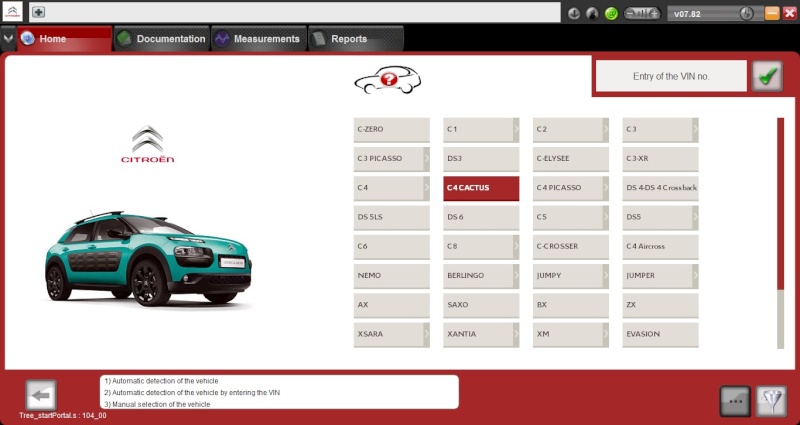
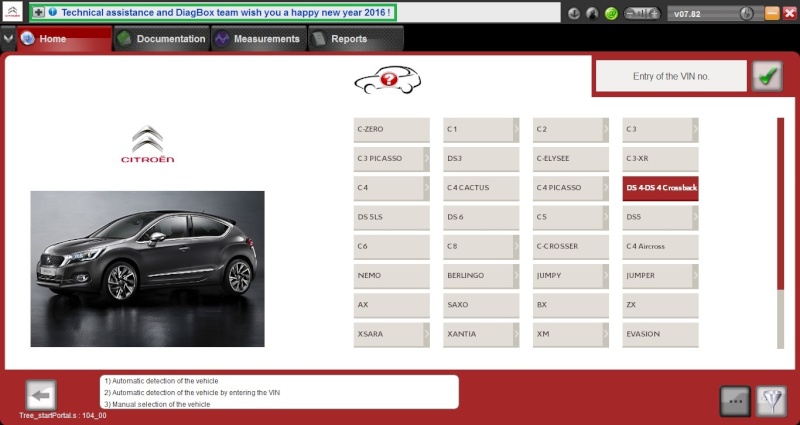
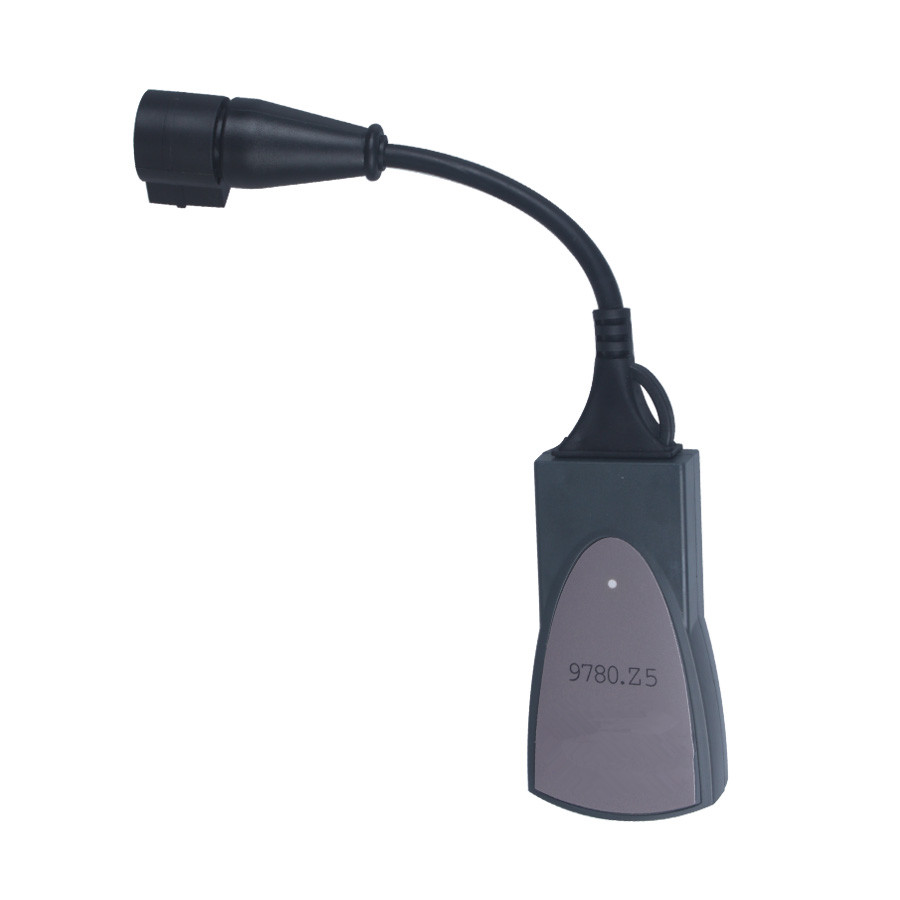
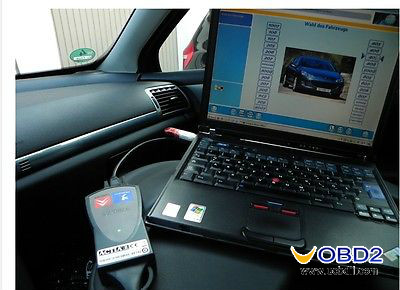
This article show some Leixa PP2000 Window 64 bit installation tips.
The issue is that Diagbox is the main application for cars post 2006
(ish). It is also the front end for the Lexia and Peugeot Planet
software diagnostic applications used for olders PSA cars Pre 2006 (ish)
depending on model. The Lexia and PP software are 16 bit applications.
16 bit application software doesn’t run under a 64 bit operating system.
The only way to get this to work on a 64 bit operating system, is
though a VM (virtual Machine) running a 32 bit operating system . This
will require a VM-supported version of the 64 Bit OS, plenty of extra
memory to run the VM, a licenced copy of a 32 Bit Operating System to
run under the VM etc.
If this sounds like a no no for you, then just install a
32 bit version of Windows 7. The licence keys for both 32 bit and
64 bit versions of Windows 7 are interchangeable, so if you have the
licence key for the 64 bit version of Windows 7 (which it would seem you
have from your post), the key will work on the 32 bit version, as long
as it is the same version (Home, Professional, Ultimate, Enterprise
etc.). The Windows ISO installaion files are freely and legitimately
downloadable if you don’t have the installation media for the 32 bit OS.
All you need to worry about is making sure you have the
32 bit software drivers for the hardware on your Laptop already
downloaded or stored on a flash drive for use later.
There are a couple of things to consider first and to understand:
1.Windows XP is of course free to download – however
you will still need to purchase a valid licence to activate it –
otherwise it will stop working within the 30 day period. I doubt that
valid legal licences are now being sold as the operating system has long
been de-supported.
2.I would instead suggest Windows 7. Again, you will
need a valid licence to activate it – regardless of whether using as a
stand alone Operating System or as an OS under a Virtual Machine
environment under Windows 10 or similar.
3.Remember also, that if you require LEXIA specifically (for pre 2006 cars), as opposed to Diagbox, you will not be able to run it under any Windows 10 64 Bit Operating
System. The Lexia – specific application (and I suspect Peugeot Planet
2000 also) is written using 16bit code and no 16 bit coded applications
are supported under a 64 Bit version of Windows 10.
4.If you only need Diagbox to work then this will not be a problem.
5.Remember that a VM will need adequate physical hardware and
resources such as memory to run – in addition to the host operating
system. Laptops are not ideal for this as they do not generally have the
resources needed. I suspect you will not be much better off than an
older laptop with XP installed that has been upgraded with a bit of
extra memory. See point (6)
6.One of the single most issues I see with running Diagbox
on an older XP laptop is the slowdown / lag of Diagbox. You will very
likely find this atttributed to Windows Update. Whenever the service is
running (usually a while after startup) it can very easily make Diagbox
crawl to a halt. For most people who use an older dedicated laptop just
for Diagbox – and don’t clutter it up with other junk, disabling Windows
Update can improve speed by 200-500% or more. As Windows XP is no
longer supported, there are no more updates being supplied – so this
should not be an issue for most.
You can disable it here in XP:
Start>Run>Services.msc>Automaticupdates> Double-Click and
click dropdown box, select “Disabled” then click “Stop”, then click Ok.
Also, to speed up boot-time, Start>Control Panel>System>Automatic Updates(tab)>”Turn off Automatic Updates”
http://www.obd360.com
Lexia 3 PP2000 is popular auto diagnostic tool supporting most Citroen and Peugeot vehicles.The Newest Software is Lexia3 V47 PP2000 V25.Lexia-3 PP2000 has powerful function and support multi-languages.
Thursday, February 7, 2019
Sunday, January 27, 2019
PSA Diagbox V9.12 & V7.83 free download for Lexia-3
Diagbox 9.12 free download source, Diagbox 7.83 (working version) source. Also, PSA Diagbox 7.02-7.83 for Lexia 3 diagnostic tool.
Newest Diagbox_setup_v09.12.exe:
https://mega.nz/#!Q3gQ2BII!clyFKAaB_iYC7EV5l80yqq0EF3G3chpeV7njmyuWqPQ
Diagbox v09.12 original and unchanged.
maybe of use to someone for personal research and development.
it is offered as is and with no support from myself.
Diagbox 9.12 test result:
- I managed to install it but I can not connect it to the internet.
- version V9.12 is not, to my knowledge, usable with our probes clones because no patch yet
On the links below, you'll find everything you need for V7.xx versions; For example, I use Diagbox V7.83 : a 100% working newest version.

HW & SW requirements:
Intel Celeron/Pentium III 400 MHz,
128 MB RAM,
50MB free HDD space
USB 1.1 port (USB 2.0 recommended)
Microsoft Windows 98 SR2/2000/XP with the latest service pack installed; Windows?XP?system better.
Please setup the software according to the requirements to hardware and software. Otherwise it will fail to setup and bring you much trouble.
Part 2: PSA Diagbox 7.02-7.83 for Lexia 3 diagnostic tool
Prerequisites :
1: A VCI PSA (XS EVOLUTION)
2: A Windows PC in 32Bit only if not the installation will not be complete (no 64bit !!!)
3: A current PC (java, net Framework, driver ect ...)
4: patience lol!
These are the updates of people who have worked hard to use our VCIs please respect their work Scary, Maitresox and Simple this topic only consolidates the updates in order not to pollute the forum an agreement was requested for disclose the updates you can find on this forum do not forward links to other forums without the agreement of Scary, Maitresox and Simple under pain of banishment thank you.
Three types of updates available to you Scary, Maitresox and Simple to you to choose
Here is the link for the installation tutorial made by a forum member jerome59100
http://www.lemondedudiagauto.com/t12583-installer-diagbox-du-7-01-au-7-76
Scary update section from 7.02 to 7.57
Password: scary01
DIAGBOX V7.02 complete ISO already patch
http://dfiles.eu/files/yu1iorec7
http://dfiles.eu/files/uqdpbnzqt
http://dfiles.eu/files/qt5ng8ork
or
http://www.sendspace.com/file/hm0q41
http://www.sendspace.com/file/i1j9pv
http://www.sendspace.com/file/nzbqfd
http://www.sendspace.com/file/vegpqc
Update V7.02 to V7.06. No need for patch
http://dfiles.eu/files/lokcitvx0
Update V7.06 to V7.07. No need for patch
http://dfiles.eu/files/ff3xzsmjz
Update V7.07 to V7.11. No need for patch
http://dfiles.eu/files/36atm9kt1
or
https://mega.co.nz/#!soZAVRqS!P8lnLAOhd%E2%80%A67aK2LhNvGk
Update V7.07 to V7.14. No need for patch
http://dfiles.eu/files/rebnqucxz
or
https://mega.co.nz/#!JpRzUA4A!EO2ccwKjz%E2%80%A6M1pvkIQMmU
Update V7.11 to V7.15. No need for patch
http://dfiles.eu/files/l798624ry
or
https://mega.co.nz/#!ppJ0wCCC!QYQccnAtcfR-_IXRBZhO7H4DpIlENfdxTXYy5Db8Cyw
Update V7.11 to V7.16. No need for patch
http://dfiles.eu/files/4gr1e24w3
or
https://mega.co.nz/#!tgIw1JJT!KXlTyTnpwL058Hk6NjBewGS8vOsVCQOLGo4sizXH46I
Update V7.16 to V7.18 no patch needed
https://mega.co.nz/#!51YUyK6b!MfrMLUtyC4noOjrJ2Zd6nnhcyuNduypR2W3EB42OJzQ v
Update V7.16 to V7.19 no need for patch
http://dfiles.eu/files/7hktofcmq
or
https://mega.co.nz/#!lp4RHTYZ!IRQG2D8ifgrIzbriGcxd11MaJk8OM5_6vKd2jA4bHjk
Update V7.16 to V7.20 no need for patch
https://mega.co.nz/#!XxxC2L5Q!Bw0Z-nPo9Ox9cPizbM63bjzYt4Bd5KN7WcvqSmiCUWo
Update V7.16 to V7.22 no need for patch
https://mega.co.nz/#!2oRCWZzY!Sq3Y7ioxwfuN8geLdmMks3H-K2slaoa1vap-mWUYZ8Q
Update V7.16 to V7.23 no need for patch
https://mega.co.nz/#!ZlB0CbIZ!Kzlq8zAuVVGZmcQJp7DDJlDZ7rMN4gspmuAc5JL_nqg
Update V7.16 to V7.24 no need for patch
https://mega.co.nz/#!qAkG0bLJ!TT7oP397ks_GWWpGpdbHMivYTLo5Q713jWuMjItfbUw
Update V7.24 to V7.25 no need for patch
http://uploaded.net/file/vj4de4lo
Update V7.24 to V7.28 no need for patch
https://mega.co.nz/#!A8QVUSgA!XMqg_3WhMUZ_QC_JwC2oKCFb2p4W7Oh8GpplKM5gLzE
Update V7.24 to V7.30 no need for patch
https://mega.co.nz/#!8h4gWaoS!XeifPXY5XqaBLsWuLlBX3VZiGt4muyyHprM5FjqxysI
Update V7.24 to V7.32 no need for patch
https://mega.co.nz/#!18ZDRQBQ!Ds1VRyYHNhu19vfS4Wa7vTwczFEKts9jgyNrYesN4II
Update V7.24 to V7.33 no need for patch
https://mega.co.nz/#!NoBCTJZS!P8dzTUeO3oCU9tmDe3KAXUYJwocHl7b5jpAY4wcMzJo
Update V7.24 to V7.34 no need for patch
https://mega.co.nz/#!YgRXURiS!_OOg2c6fHz1wc9jW-FH5CXaE0AWeGcwB6aVV9Df_6kE
or
https://mega.co.nz/#!OdszFCiS!F4kWJjYqRh-vpqqrB8Z0e7TAxAmFbwbhTQabc01cnp4
Update V7.24 to V7.35 no need for patch
http://dfiles.eu/files/f73p7pfm4
Update V7.24 to V7.36 no need for patch
https://mega.co.nz/#!sw50Ca6Y!Q_7llhvtHUodNIwUuK-9XxA3UmVqQdvmH0APPWQnxPk
Update V7.24 to V7.37 no need for patch
https://mega.co.nz/#!B5ZmlZSY!Bn4v3pYTjIdxvJyhfOlbuhoWZwh79rgwTrzt0ycvDrg
or
http://dfiles.eu/files/njz5633vt
Update V7.24 to V7.38 no need for patch
https://mega.co.nz/#!E05zVT6a!muSwRdnlxuUwfuB6uYupDX6I1_Q9Q5zT40EOWAaOV9c
Update V7.24 to V7.40 no need for patch
https://mega.co.nz/#!o9gwUSaD!Ey4nvZnosZ2C6MO9lm8gk99WcfEA33jzWCcTgojsDS8
or
http://dfiles.eu/files/61smqgtvl
or
https://mega.co.nz/#!rEs1zBCZ!9FzRUKVgIEr9KsHrrYei0t42wFbmMmn3jVxolb6K7F4
Update V7.40 to V7.42 no need for patch
https://mega.co.nz/#!NhZUXKYa!dUzqjeTdGQRaKKXkntdMuKaMmmYaexfcIRkfVk2viig
Update V7.xx to V7.43 no need for patch (Installation possible since 7.24 and higher)
https://mega.co.nz/#!wlhnDCzA!qE5XDXK6dIJfWjMUCDTlwmhw6jxb12lJOOB36C5o65c
Update V7.40 to V7.44 no need for patch
https://mega.co.nz/#!Ex4VQbKY!YtoPM0njlYYCKRhMnTwon5Au7Wjd_V8dp1UJpT5j200
Update V7.xx to V7.44 no need for patch
https://mega.co.nz/#!pohFwYJQ!LZg70nJZfz43wx1-bf5iA2WlMe3e_g_wArfKP_S4VI0
Update V7.44 to V7.47 no need for patch
https://mega.co.nz/#!B5pCnQyS!QW2L3inGnpdYcqf2-gGEQMVvm5q4kr1BrKUmJdXO38s
Update V7.44 to V7.49 no need for patch
https://mega.co.nz/#!ExQFxK4J!CUy8JCdmFt3yv1QIdGsh3Vc7J8I9D08ZeN45hCIsAhc
Update V7.49 to V7.53 no need for patch
https://mega.co.nz/#!ttw2FB6J!kMY33r_nYIcZgu270vDoFKBmVrYt9KCVB_REX_9MfKU
or
Update V7.xx to V7.53 no need for patch
https://mega.co.nz/#!Y5wmxA7S!dJldYJuxR962X_cc9TCkhmsCzbnm0YS79nebE25Irn8
Update V7.49 to V7.54 no need for patch
https://mega.co.nz/#!LtwUkQ6C!5Pg9uelnH9hA_xaUHyZga-tmwFeAmf5yc011tE_IYJ8
Update V7.xx to V7.54 no need for patch
https://mega.co.nz/#!n1hDDbpb!wsqTwy6uYXjRkxN_ATeM3CGzrs2j4-iaJnR3rr0a8Ik
Update V7.49 to V7.55 no need for patch
https://mega.co.nz/#!48xgBKyK!zE8gcNOBAgdoL_8pNRQ3GjS9lr0TN4vyssfdGAfqbh4
Update V7.XX to V7.57 no need for patch
https://mega.co.nz/#!B8gWAYxY!RGeN3-CcT5fTSDQTgbO7etcgwDO6Ex03EnMOxq5bJg8
Part 2: Updated section of Maitresox from 7.02 to 7.82
DIAGBOX V7.02 complete ISO already patch
http://dfiles.eu/files/yu1iorec7
http://dfiles.eu/files/uqdpbnzqt
http://dfiles.eu/files/qt5ng8ork
or
http://www.sendspace.com/file/hm0q41
http://www.sendspace.com/file/i1j9pv
http://www.sendspace.com/file/nzbqfd
http://www.sendspace.com/file/vegpqc
Diagbox and update 7.01 to 7.57 no need to patch LINK DEATH take that of scary Update V7.XX to V7.57 no need for patch
https://mega.nz/#!xpdzRATA!uSUYxCEljCMC7z8aDWXb0izjcreCy-MTro80zAMeXxg
PLEASE ASK the MP at fred9545 and thanks to him for updating the links
Update 7.57 to 7.58 no need for patch upload by fred9545
https://mega.nz/#!cFtXAaZY
decryption key to request in MP by having at least 20 constructive messages
or
https://1fichier.com/?0i5vxrtpbg
Update 7.58 to 7.62 no need to patch uploaded by fred9545
https://mega.nz/#!xItgEDBI
decryption key to request in MP by having at least 20 constructive messages
Update 7.62 to 7.66 no need to patch uploaded by fred9545
https://mega.nz/#!MUFTkZDI
decryption key to request in MP by having at least 20 constructive messages
Update 7.66 to 7.74 and 7.74 to 7.76 r upload by fred9545
https://mega.nz/#!cZ1E0IyR
https://mega.nz/#!NJlBUbab
decryption key to request in MP by having at least 20 constructive messages
PATCH LEXIA FRENCH LINK DEATH
https://mega.nz/#!g1tgkDQL!yfIsbG-SmnPfs3-8Ot3khl20xECVAqKIkAHBXJk0Zvc
Update 7.76 to 7.82 (8.18) Update offline re-uploader by fred9545
https://mega.nz/#!FYElSLRB
decryption key to request in MP by having at least 20 constructive messages
Update section of Simple
Update 7.82 to 7.83 (8.19) Update offline
https://mega.nz/#!IhNFmYrD!GLyERFpKftKA...w7EG1gCUM0
The pass is: Very Simple!
Warning!
Warning Diagbox only works as an administrator if you do not have a message telling you to reactivate Diagbox
Do not forget to restart the PC and restart diagbox after each update to finalize it, otherwise your diagbox will not run.
DiagBox Cleaner V7
Small utility that removes traces for reinstallation seine.
Interface Checker and driver V3
https://mega.co.nz/#!gIcwwL5A!A_xXMktbyKD55ntNmB860k1FeskxSsdLghMFBIKJdU4
Exclamation Exclamation It is advisable to save the file appdiag.sys which is in the folder awroot-bin-fi in case the activation is corrupt Exclamation Exclamation
Download preferably with Jdownloader
http://jdownloader.org/download/index
Newest Diagbox_setup_v09.12.exe:
https://mega.nz/#!Q3gQ2BII!clyFKAaB_iYC7EV5l80yqq0EF3G3chpeV7njmyuWqPQ
Diagbox v09.12 original and unchanged.
maybe of use to someone for personal research and development.
it is offered as is and with no support from myself.
Diagbox 9.12 test result:
- I managed to install it but I can not connect it to the internet.
- version V9.12 is not, to my knowledge, usable with our probes clones because no patch yet
On the links below, you'll find everything you need for V7.xx versions; For example, I use Diagbox V7.83 : a 100% working newest version.

HW & SW requirements:
Intel Celeron/Pentium III 400 MHz,
128 MB RAM,
50MB free HDD space
USB 1.1 port (USB 2.0 recommended)
Microsoft Windows 98 SR2/2000/XP with the latest service pack installed; Windows?XP?system better.
Please setup the software according to the requirements to hardware and software. Otherwise it will fail to setup and bring you much trouble.
Part 2: PSA Diagbox 7.02-7.83 for Lexia 3 diagnostic tool
Prerequisites :
1: A VCI PSA (XS EVOLUTION)
2: A Windows PC in 32Bit only if not the installation will not be complete (no 64bit !!!)
3: A current PC (java, net Framework, driver ect ...)
4: patience lol!
These are the updates of people who have worked hard to use our VCIs please respect their work Scary, Maitresox and Simple this topic only consolidates the updates in order not to pollute the forum an agreement was requested for disclose the updates you can find on this forum do not forward links to other forums without the agreement of Scary, Maitresox and Simple under pain of banishment thank you.
Three types of updates available to you Scary, Maitresox and Simple to you to choose
Here is the link for the installation tutorial made by a forum member jerome59100
http://www.lemondedudiagauto.com/t12583-installer-diagbox-du-7-01-au-7-76
Scary update section from 7.02 to 7.57
Password: scary01
DIAGBOX V7.02 complete ISO already patch
http://dfiles.eu/files/yu1iorec7
http://dfiles.eu/files/uqdpbnzqt
http://dfiles.eu/files/qt5ng8ork
or
http://www.sendspace.com/file/hm0q41
http://www.sendspace.com/file/i1j9pv
http://www.sendspace.com/file/nzbqfd
http://www.sendspace.com/file/vegpqc
Update V7.02 to V7.06. No need for patch
http://dfiles.eu/files/lokcitvx0
Update V7.06 to V7.07. No need for patch
http://dfiles.eu/files/ff3xzsmjz
Update V7.07 to V7.11. No need for patch
http://dfiles.eu/files/36atm9kt1
or
https://mega.co.nz/#!soZAVRqS!P8lnLAOhd%E2%80%A67aK2LhNvGk
Update V7.07 to V7.14. No need for patch
http://dfiles.eu/files/rebnqucxz
or
https://mega.co.nz/#!JpRzUA4A!EO2ccwKjz%E2%80%A6M1pvkIQMmU
Update V7.11 to V7.15. No need for patch
http://dfiles.eu/files/l798624ry
or
https://mega.co.nz/#!ppJ0wCCC!QYQccnAtcfR-_IXRBZhO7H4DpIlENfdxTXYy5Db8Cyw
Update V7.11 to V7.16. No need for patch
http://dfiles.eu/files/4gr1e24w3
or
https://mega.co.nz/#!tgIw1JJT!KXlTyTnpwL058Hk6NjBewGS8vOsVCQOLGo4sizXH46I
Update V7.16 to V7.18 no patch needed
https://mega.co.nz/#!51YUyK6b!MfrMLUtyC4noOjrJ2Zd6nnhcyuNduypR2W3EB42OJzQ v
Update V7.16 to V7.19 no need for patch
http://dfiles.eu/files/7hktofcmq
or
https://mega.co.nz/#!lp4RHTYZ!IRQG2D8ifgrIzbriGcxd11MaJk8OM5_6vKd2jA4bHjk
Update V7.16 to V7.20 no need for patch
https://mega.co.nz/#!XxxC2L5Q!Bw0Z-nPo9Ox9cPizbM63bjzYt4Bd5KN7WcvqSmiCUWo
Update V7.16 to V7.22 no need for patch
https://mega.co.nz/#!2oRCWZzY!Sq3Y7ioxwfuN8geLdmMks3H-K2slaoa1vap-mWUYZ8Q
Update V7.16 to V7.23 no need for patch
https://mega.co.nz/#!ZlB0CbIZ!Kzlq8zAuVVGZmcQJp7DDJlDZ7rMN4gspmuAc5JL_nqg
Update V7.16 to V7.24 no need for patch
https://mega.co.nz/#!qAkG0bLJ!TT7oP397ks_GWWpGpdbHMivYTLo5Q713jWuMjItfbUw
Update V7.24 to V7.25 no need for patch
http://uploaded.net/file/vj4de4lo
Update V7.24 to V7.28 no need for patch
https://mega.co.nz/#!A8QVUSgA!XMqg_3WhMUZ_QC_JwC2oKCFb2p4W7Oh8GpplKM5gLzE
Update V7.24 to V7.30 no need for patch
https://mega.co.nz/#!8h4gWaoS!XeifPXY5XqaBLsWuLlBX3VZiGt4muyyHprM5FjqxysI
Update V7.24 to V7.32 no need for patch
https://mega.co.nz/#!18ZDRQBQ!Ds1VRyYHNhu19vfS4Wa7vTwczFEKts9jgyNrYesN4II
Update V7.24 to V7.33 no need for patch
https://mega.co.nz/#!NoBCTJZS!P8dzTUeO3oCU9tmDe3KAXUYJwocHl7b5jpAY4wcMzJo
Update V7.24 to V7.34 no need for patch
https://mega.co.nz/#!YgRXURiS!_OOg2c6fHz1wc9jW-FH5CXaE0AWeGcwB6aVV9Df_6kE
or
https://mega.co.nz/#!OdszFCiS!F4kWJjYqRh-vpqqrB8Z0e7TAxAmFbwbhTQabc01cnp4
Update V7.24 to V7.35 no need for patch
http://dfiles.eu/files/f73p7pfm4
Update V7.24 to V7.36 no need for patch
https://mega.co.nz/#!sw50Ca6Y!Q_7llhvtHUodNIwUuK-9XxA3UmVqQdvmH0APPWQnxPk
Update V7.24 to V7.37 no need for patch
https://mega.co.nz/#!B5ZmlZSY!Bn4v3pYTjIdxvJyhfOlbuhoWZwh79rgwTrzt0ycvDrg
or
http://dfiles.eu/files/njz5633vt
Update V7.24 to V7.38 no need for patch
https://mega.co.nz/#!E05zVT6a!muSwRdnlxuUwfuB6uYupDX6I1_Q9Q5zT40EOWAaOV9c
Update V7.24 to V7.40 no need for patch
https://mega.co.nz/#!o9gwUSaD!Ey4nvZnosZ2C6MO9lm8gk99WcfEA33jzWCcTgojsDS8
or
http://dfiles.eu/files/61smqgtvl
or
https://mega.co.nz/#!rEs1zBCZ!9FzRUKVgIEr9KsHrrYei0t42wFbmMmn3jVxolb6K7F4
Update V7.40 to V7.42 no need for patch
https://mega.co.nz/#!NhZUXKYa!dUzqjeTdGQRaKKXkntdMuKaMmmYaexfcIRkfVk2viig
Update V7.xx to V7.43 no need for patch (Installation possible since 7.24 and higher)
https://mega.co.nz/#!wlhnDCzA!qE5XDXK6dIJfWjMUCDTlwmhw6jxb12lJOOB36C5o65c
Update V7.40 to V7.44 no need for patch
https://mega.co.nz/#!Ex4VQbKY!YtoPM0njlYYCKRhMnTwon5Au7Wjd_V8dp1UJpT5j200
Update V7.xx to V7.44 no need for patch
https://mega.co.nz/#!pohFwYJQ!LZg70nJZfz43wx1-bf5iA2WlMe3e_g_wArfKP_S4VI0
Update V7.44 to V7.47 no need for patch
https://mega.co.nz/#!B5pCnQyS!QW2L3inGnpdYcqf2-gGEQMVvm5q4kr1BrKUmJdXO38s
Update V7.44 to V7.49 no need for patch
https://mega.co.nz/#!ExQFxK4J!CUy8JCdmFt3yv1QIdGsh3Vc7J8I9D08ZeN45hCIsAhc
Update V7.49 to V7.53 no need for patch
https://mega.co.nz/#!ttw2FB6J!kMY33r_nYIcZgu270vDoFKBmVrYt9KCVB_REX_9MfKU
or
Update V7.xx to V7.53 no need for patch
https://mega.co.nz/#!Y5wmxA7S!dJldYJuxR962X_cc9TCkhmsCzbnm0YS79nebE25Irn8
Update V7.49 to V7.54 no need for patch
https://mega.co.nz/#!LtwUkQ6C!5Pg9uelnH9hA_xaUHyZga-tmwFeAmf5yc011tE_IYJ8
Update V7.xx to V7.54 no need for patch
https://mega.co.nz/#!n1hDDbpb!wsqTwy6uYXjRkxN_ATeM3CGzrs2j4-iaJnR3rr0a8Ik
Update V7.49 to V7.55 no need for patch
https://mega.co.nz/#!48xgBKyK!zE8gcNOBAgdoL_8pNRQ3GjS9lr0TN4vyssfdGAfqbh4
Update V7.XX to V7.57 no need for patch
https://mega.co.nz/#!B8gWAYxY!RGeN3-CcT5fTSDQTgbO7etcgwDO6Ex03EnMOxq5bJg8
Part 2: Updated section of Maitresox from 7.02 to 7.82
DIAGBOX V7.02 complete ISO already patch
http://dfiles.eu/files/yu1iorec7
http://dfiles.eu/files/uqdpbnzqt
http://dfiles.eu/files/qt5ng8ork
or
http://www.sendspace.com/file/hm0q41
http://www.sendspace.com/file/i1j9pv
http://www.sendspace.com/file/nzbqfd
http://www.sendspace.com/file/vegpqc
Diagbox and update 7.01 to 7.57 no need to patch LINK DEATH take that of scary Update V7.XX to V7.57 no need for patch
https://mega.nz/#!xpdzRATA!uSUYxCEljCMC7z8aDWXb0izjcreCy-MTro80zAMeXxg
PLEASE ASK the MP at fred9545 and thanks to him for updating the links
Update 7.57 to 7.58 no need for patch upload by fred9545
https://mega.nz/#!cFtXAaZY
decryption key to request in MP by having at least 20 constructive messages
or
https://1fichier.com/?0i5vxrtpbg
Update 7.58 to 7.62 no need to patch uploaded by fred9545
https://mega.nz/#!xItgEDBI
decryption key to request in MP by having at least 20 constructive messages
Update 7.62 to 7.66 no need to patch uploaded by fred9545
https://mega.nz/#!MUFTkZDI
decryption key to request in MP by having at least 20 constructive messages
Update 7.66 to 7.74 and 7.74 to 7.76 r upload by fred9545
https://mega.nz/#!cZ1E0IyR
https://mega.nz/#!NJlBUbab
decryption key to request in MP by having at least 20 constructive messages
PATCH LEXIA FRENCH LINK DEATH
https://mega.nz/#!g1tgkDQL!yfIsbG-SmnPfs3-8Ot3khl20xECVAqKIkAHBXJk0Zvc
Update 7.76 to 7.82 (8.18) Update offline re-uploader by fred9545
https://mega.nz/#!FYElSLRB
decryption key to request in MP by having at least 20 constructive messages
Update section of Simple
Update 7.82 to 7.83 (8.19) Update offline
https://mega.nz/#!IhNFmYrD!GLyERFpKftKA...w7EG1gCUM0
The pass is: Very Simple!
Warning!
Warning Diagbox only works as an administrator if you do not have a message telling you to reactivate Diagbox
Do not forget to restart the PC and restart diagbox after each update to finalize it, otherwise your diagbox will not run.
DiagBox Cleaner V7
Small utility that removes traces for reinstallation seine.
Interface Checker and driver V3
https://mega.co.nz/#!gIcwwL5A!A_xXMktbyKD55ntNmB860k1FeskxSsdLghMFBIKJdU4
Exclamation Exclamation It is advisable to save the file appdiag.sys which is in the folder awroot-bin-fi in case the activation is corrupt Exclamation Exclamation
Download preferably with Jdownloader
http://jdownloader.org/download/index
Thursday, June 1, 2017
Lexia vs Diagbox vs Peugeot Planet PP2000
This write-up explains what the difference is among Lexia, Diagbox and Peugeot Planet PP2000, which would be a good idea for a total newbie in car diagnostics software that Lexia 3 cable required.
Both Diagbox and PP2000 are used to connect to the car's ECU and carry out diagnostics and manage settings. Which is a better software, however?
Lexia: Citroen, Planet: Peugeot, Diagbox: Citroen & Peugeot
Lexia3 - hardware
Lexia - Software for Citroen
Planet - Software for Peugeot
Diagbox - Front end which contains variations of both of the above
Diagbox is the only one which is still updated.
The hardware is currently on Revision C.
Lexia - Software for Citroen
Planet - Software for Peugeot
Diagbox - Front end which contains variations of both of the above
Diagbox is the only one which is still updated.
The hardware is currently on Revision C.
Diagbox: newer, PP2000: quicker
PP2000 and Diagbox are roughly the same thing , Diagbox being the newer software ,
PP2000 is a quicker software but will become obsolete over the next few years as Peugeot will stop using it this year ,
no point in getting PP2000 then having to change to Diagbox
Peugeot Planet: easier and faster
I have planet and also being a newbie installed planet then diagbox they both worked fine though diagbox was a lot slower (you have to start diagbox then choose planet off the option list) so basically if its just for use on your own car then using planet on its own is easier and faster though if your going to attempt using the interface on other vehicles may as well install diagbox with planet and lexia
Lexia + PP200 = Diagbox
lexia is for citreon
planet pp2000 is for peugeot
put both programmes into one software = diagbox
if your going to buy it you might as swell get diagbox which most new interfaces come with anyway.
Both Lexia & PP2000 available within Diagbox
They are the same.... the discs supplied usually contain PP2000 and Diagbox on one disc (PP2000 is also available within the Diagbox installation), and lexia for Citroens on the other. Lexia is also available within Diagbox.
So if you find an interface with rev C, the software discs will contain everything you need and more.
PP2000 on 32-bit, Diagbox on 64-bit
Planet will only run on 32-bit. Diagbox will run on 64-bit, but when you try to call Planet through Diagbox it will crash because it must have 32-bit.
What I do is install VMWare Player (free). Using that, create a virtual machine XP SP3 32-bit (you will need the disk and key). Then install Planet into that. Works well. Sounds very techy, but it is surprisingly easy, because VMWare is so well documented. When installing Planet, do not plug the Lexia interface in to the PC until prompted.
Planet & Diagbox are software Lexia cable required
The Lexia is the cable required to use the software. Only the cable.
To use the cable you will need software as well, Peugeot Planet and Diagbox are the 2 pieces of software to choose from.
Diagbox is much newer software that supports even the latest cars. However I prefer the interface of Peugeot Planet, much easier not to get lost in there.
Generally when you buy a Lexia software will be included on a disk. As to whether it is genuine or not, you should check with the seller before purchase.
To use the cable you will need software as well, Peugeot Planet and Diagbox are the 2 pieces of software to choose from.
Diagbox is much newer software that supports even the latest cars. However I prefer the interface of Peugeot Planet, much easier not to get lost in there.
Generally when you buy a Lexia software will be included on a disk. As to whether it is genuine or not, you should check with the seller before purchase.
Saturday, May 20, 2017
Free download Diagbox V7.82 for Lexia 3 PP2000 Peugeot Citroen scanner
Diagbox V7.82 software can work on Lexia 3 PP2000 Peugeot Citroen scanner. Here are Diagbox V7.82 free download links offered by uobdii.com.

Free download Diagbox V7.82 for Lexia 3 PP2000 Peugeot Citroen car diagnostic tool
Link 1:
https://mega.nz/#!h9kFlDrZ!DCpvnmCPB_NDm-wFrea0mGiKDE5giM96-lSXXC1uSIg
Pass: Maitresox01
Or Link 2:
https://drive.google.com/file/d/0BxwoEOC3feWFNl96dTNzVWlqY3M/view?usp=sharing
Install Diagbox V7.82 for Lexia 3 PP2000 on VirtualBox or VMplayer:
Install Diagbox V7.82 for Lexia 3 PP2000 on Windows:
Note:
These two forum threads may be helpful:
http://cartechnology.co.uk/showthread.php?tid=11986
http://cartechnology.co.uk/showthread.php?tid=12288
Free download Diagbox V7.82 for Lexia 3 PP2000 Peugeot Citroen car diagnostic tool
Link 1:
https://mega.nz/#!h9kFlDrZ!DCpvnmCPB_NDm-wFrea0mGiKDE5giM96-lSXXC1uSIg
Pass: Maitresox01
Or Link 2:
https://drive.google.com/file/d/0BxwoEOC3feWFNl96dTNzVWlqY3M/view?usp=sharing
Install Diagbox V7.82 for Lexia 3 PP2000 on VirtualBox or VMplayer:
- a) Ensure that the Hard Disk controller is set to IDE not SCSI.
- b) Create a preferably fixed hard drive 20-36GB preferably contiguous, Dynamic also works. (Win XP needs less resource than Win 10)
- c) Connect the Windows ISO through the Settings -> Storage menu.
- d) Install VirtualBox Guest Additions or VMWare Tools after installing Windows.
Install Diagbox V7.82 for Lexia 3 PP2000 on Windows:
- a) Microsoft .NET 3.5 SP1 Framework (needed for Diagbox 7.60+)
- b) All necessary drivers (usually covered by the Guest Additions/VMWare Tools)
- c) Setup a network adapter (does not need to be connected to network)
- d) Mozilla Firefox
- e) Winrar
- f) Virtual CloneDrive (not needed for Virtual Machines)
Note:
- Start only as Administrator and without internet, for those who are running later Windows like 10, XP SP3 compatibility is also required.
- Ensure that .NET Framework 3.5 is installed
- Systems: Windows (32 bit only) XP, 7, 8, 10
These two forum threads may be helpful:
http://cartechnology.co.uk/showthread.php?tid=11986
http://cartechnology.co.uk/showthread.php?tid=12288
Monday, May 15, 2017
Lexia3 PP2000 Diagbox V8.26 V7.83 V7.76 V7.57 all versions Free download
Lexia3 PP2000 Diagbox
V8.26 V7.83 V7.76 V7.57 all previous versions are available to free
download with given password, but please try at your own risk. And hope
it is helpful.

Tips: before downloading, please exit/uninstall firewall or antivirus i.e. Avast, Avira, Bitdefender… and run update on administrator privilege.
Lexia3 PP2000 Diagbox V8.26 updated from V8.20:
https://mega.nz/#!kkNEmbpR!iTkm4OVDfgTDWRjg3c_-TIWJQnr185jvzN2bML07tlU
No password.
Works on the interface: Lexia-3 V48 PP2000 V25 with Original 921815C Chip can do Peugeot 307
Lexia DiagBox v7.83 (8.19) updated from v7.82:
https://mega.nz/#!IhNFmYrD!GLyERFpKftKAAaHN8mwAzI6p4mqMS9pVSw7EG1gCUM0
Password: Very Simple!
DiagBox V7.82 (8.18) updated from V7.76:
https://mega.nz/#!h9kFlDrZ!DCpvnmCPB_NDm-wFrea0mGiKDE5giM96-lSXXC1uSIg
Password: Maitresox01
DiagBox software V7.74 updated from V7.66:
https://mega.nz/#!A4UgwKwK!hM_J6qXfB8bvq_P4Pa2RF1wxneQJENvkT_jfYyw9ta8
Password: Maitresox pour TLEMCEN TE-100%
Lexia3 DiagBox V7.66 updated from V7.62:
https://mega.nz/#!15MnEQgR!GZyjMyrkZ1ZmBE_fX4PPM7AVKvSf8IKAbwoJNfkybYU
Password: @-Maitresox-MHHAUTO
DiagBox V7.62 updated from V7.58:
https://mega.nz/#!gwMyzZxZ!A9XJwl8CgyliFjti6knPhioDzQJPXieUtD1TJRnJG6Y
PSA DiagBox V7.58 updated from V7.57:
https://mega.nz/#!V8123SrK!w6OE4V15ABi8Ciolou_zfEKbnPhNw4_ylxH3-yr3rmU
PSA DiagBox V7.57 updated from V7.01:
https://mega.nz/#!xpdzRATA!uSUYxCEljCMC7z8aDWXb0izjcreCy-MTro80zAMeXxg
Do you want a 100% tested OK Diagbox software with tech support?
Check this:
Diagbox V7.76:
http://www.uobdii.com/wholesale/diagbox-v601-software-for-lexia-3-pp2000.html
System Requirements: Windows XP, 512 MB RAM
Language: Multi-language
Bundle sale: Lexia3 V48 PP2000 V25 + Diagbox V7.76 Software only $87
http://www.uobdii.com/wholesale/lexia-3-with-diagbox-v724-software.html
Tips: before downloading, please exit/uninstall firewall or antivirus i.e. Avast, Avira, Bitdefender… and run update on administrator privilege.
Lexia3 PP2000 Diagbox V8.26 updated from V8.20:
https://mega.nz/#!kkNEmbpR!iTkm4OVDfgTDWRjg3c_-TIWJQnr185jvzN2bML07tlU
No password.
Works on the interface: Lexia-3 V48 PP2000 V25 with Original 921815C Chip can do Peugeot 307
Lexia DiagBox v7.83 (8.19) updated from v7.82:
https://mega.nz/#!IhNFmYrD!GLyERFpKftKAAaHN8mwAzI6p4mqMS9pVSw7EG1gCUM0
Password: Very Simple!
DiagBox V7.82 (8.18) updated from V7.76:
https://mega.nz/#!h9kFlDrZ!DCpvnmCPB_NDm-wFrea0mGiKDE5giM96-lSXXC1uSIg
Password: Maitresox01
DiagBox software V7.74 updated from V7.66:
https://mega.nz/#!A4UgwKwK!hM_J6qXfB8bvq_P4Pa2RF1wxneQJENvkT_jfYyw9ta8
Password: Maitresox pour TLEMCEN TE-100%
Lexia3 DiagBox V7.66 updated from V7.62:
https://mega.nz/#!15MnEQgR!GZyjMyrkZ1ZmBE_fX4PPM7AVKvSf8IKAbwoJNfkybYU
Password: @-Maitresox-MHHAUTO
DiagBox V7.62 updated from V7.58:
https://mega.nz/#!gwMyzZxZ!A9XJwl8CgyliFjti6knPhioDzQJPXieUtD1TJRnJG6Y
PSA DiagBox V7.58 updated from V7.57:
https://mega.nz/#!V8123SrK!w6OE4V15ABi8Ciolou_zfEKbnPhNw4_ylxH3-yr3rmU
PSA DiagBox V7.57 updated from V7.01:
https://mega.nz/#!xpdzRATA!uSUYxCEljCMC7z8aDWXb0izjcreCy-MTro80zAMeXxg
Do you want a 100% tested OK Diagbox software with tech support?
Check this:
Diagbox V7.76:
http://www.uobdii.com/wholesale/diagbox-v601-software-for-lexia-3-pp2000.html
System Requirements: Windows XP, 512 MB RAM
Language: Multi-language
Bundle sale: Lexia3 V48 PP2000 V25 + Diagbox V7.76 Software only $87
http://www.uobdii.com/wholesale/lexia-3-with-diagbox-v724-software.html
Tuesday, May 9, 2017
Lexia3 PP2000 Car Diagnostic Tool for Citroen &Peugeot
Are you in a dilemma choosing a fault code scanner for Peugeot 307
Hdi 135 Baujahr 2007? Diagnose for Citroen Saxo Bj 2004? Is it fit for
2006 C5 2.0 HDI? And how to work with XM 3.0 V6 built in 2000? How to
diagnose for Peugeot 407 HDi?
These could be difficult problems for an empty-handed person, but it becomes very simple for you just need only Lexia3 PP2000.
It is compatible with Citroen cars including:
C1,C2,C3,C4,C6,C8,C-CROSSER,NEMO,BERLINGO,JUMPY,JUMPER,AX,SAXO,BX and so on
Function of Lexia3/PP2000
Unlike other universal car diagnostic tools which only read fault codes, this software performs nearly ALL the functions like the original dealer diagnostic tool.


How to test old Citroen and Peugeot
For most cars before 1996, you need old adapter 30 pin-Adapter
For the XM Y4 (1994-2000) you need the 30 pin-Adapter, Lexia-3 30 Pin Cable for Citroen Diagnostic Tool
How to test new Citroen and Peugeot

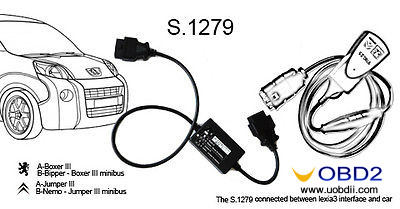
Software Diagbox supports the latest Citroen and Peugeot. But most Lexia3 package has no this interface, you just need S1279, it can connect lexia3 with new cars.
Free download Diagbox V7.82 for Lexia3/PP2000 here:
http://blog.uobdii.com/free-download-diagbox-v7-82-for-lexia-3-pp2000-peugeot-citroen-scanner/
These could be difficult problems for an empty-handed person, but it becomes very simple for you just need only Lexia3 PP2000.
It is compatible with Citroen cars including:
C1,C2,C3,C4,C6,C8,C-CROSSER,NEMO,BERLINGO,JUMPY,JUMPER,AX,SAXO,BX and so on
Function of Lexia3/PP2000
Unlike other universal car diagnostic tools which only read fault codes, this software performs nearly ALL the functions like the original dealer diagnostic tool.
- Read Identification
- Read Fault Codes
- Clear Fault Codes
- Auto-Scan (Complete Car Scan/Test)
- Measured Values
- Actuator Test
How to test old Citroen and Peugeot
For most cars before 1996, you need old adapter 30 pin-Adapter
For the XM Y4 (1994-2000) you need the 30 pin-Adapter, Lexia-3 30 Pin Cable for Citroen Diagnostic Tool
How to test new Citroen and Peugeot
Software Diagbox supports the latest Citroen and Peugeot. But most Lexia3 package has no this interface, you just need S1279, it can connect lexia3 with new cars.
Free download Diagbox V7.82 for Lexia3/PP2000 here:
http://blog.uobdii.com/free-download-diagbox-v7-82-for-lexia-3-pp2000-peugeot-citroen-scanner/
Wednesday, May 3, 2017
(Solved)Lexia-3 PP2000 installation error: not possible to start
Recently received an issue from customer that when install Lexia-3 on windows XP, it appeared an error as follows, here uobdii engineer would give some tips for this problem.
Error message:
AVERTISSMENT
It is not possible to start Peugeot Planet Office for the following reasons:
Peugeot Planet interface is not plugged into the USB port of your PC
Peugeot Planet interface is being utilisation by another application.
Device: Lexia-3 pp2000
Software: Peugeot Planet 2000
Operating system: Windows XP
Possible reasons and solutions:
PP2000 software installation address:
https://mega.nz/#!mRkVXBLa!Fez0E9LU5DJSYFsy6jc_2cydO-69U0VJ7zX3i3T8_vc
Error message:
AVERTISSMENT
It is not possible to start Peugeot Planet Office for the following reasons:
Peugeot Planet interface is not plugged into the USB port of your PC
Peugeot Planet interface is being utilisation by another application.
Device: Lexia-3 pp2000
Software: Peugeot Planet 2000
Operating system: Windows XP
Possible reasons and solutions:
- Host interface of Peugeot Planet can not be connected to the computer’s USB port;
- Peugeot Planet 2000 is running on another computer;
- After closing the other software, then run Peugeot Planet again.
PP2000 software installation address:
https://mega.nz/#!mRkVXBLa!Fez0E9LU5DJSYFsy6jc_2cydO-69U0VJ7zX3i3T8_vc
UOBDII All rights reserved (Solved)Lexia-3 PP2000 installation error: not possible to start
Subscribe to:
Posts (Atom)