Showing posts with label Lexia 2 PP2000. Show all posts

Tuesday, May 10, 2016

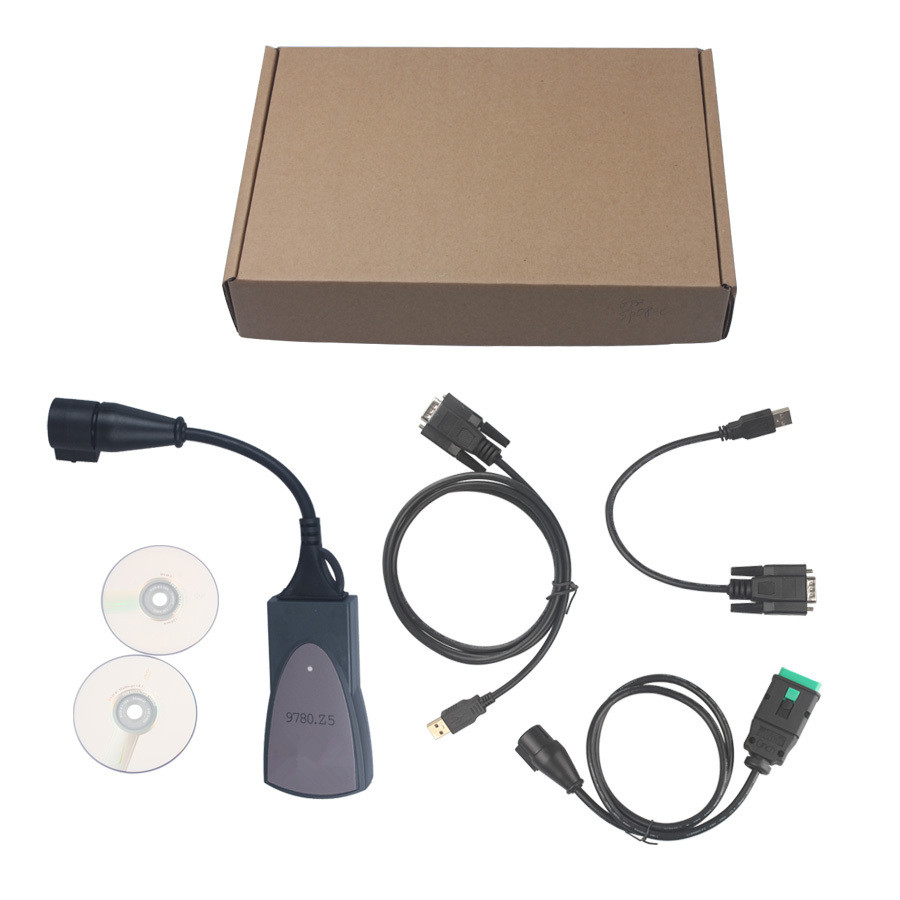
Is Chinese Lexia PP2000 a full Chips interface?

Many users ask a same question: is Lexia 3 PP2000 a full Chips interface?
Many users have proved that, Lexia 3 (SP08-C) is a full Chips interface, NO. SP08 and SP08-B is not a full chips interface.

Suggest you go on reading this post to know Lexia3 (SP08-C) newest highlights, and other Lexia 3 users feedback.

Lexia3 (SP08-C) newest highlights-released at 10-15-2014:
  1. Lexia-3 PCB edge is golden with original full chips.Double PCB has 7pcs optocouplers, which are 100% original and new.
  2. lexia-3 relays are 12pcs, which are 4.5V, it is more stable.
  3. PP2000 has 2pcs Optocouplers.

Lexia-3 user feedback as following parts list.
Quickly shipment
I have received my order
Very quickly
Very good material
I am very satisfied

Works perfectlyRecommend 
Works perfectly.
PP2000 Lexia and stable.
diagbox v6.01 also works very well but very heavy to operate which causes some delays malgrés correct config for the diag (T400 under XP with 4GB of RAM).
Tool very efficient!
Recommend!


Difference among the model SP08-SP08-D and C (compatible 307)
They are almost same tool, share same function and features, the difference is that Lexia 3 (SP08-C) is the most stable to diagnose 307.

Why Lexia 3 (SP08-C) is best-selling
  • Lexia 3 (SP08-C) is a full Chips interface
  • Best model to diagnose Peugeot

Lexia3 cant do:
  • Lexia 3 is no good after 2004 C5
  • Lexia 3 does not work on windows 7, windows xp only

What’s your feedback?

Tuesday, March 15, 2016

How to disable TPMS with Lexia 3 PP2000 Diagbox

Thanks to Vadimus who has developed the function of disabling TPMS with Lexia 3 diagnostic system in Mitsubishi forum. The method was first tested on his Mitsubishi Outlander.

Lexia 3 diagnostic system is designed for Peugeot and Citroen vehicles. Why is able to diagnose Mitsubishi vehicles? Because both Peugeot and Citroen had or still have models which are rebranded versions of Mitsubishi Outlander/RVR so they made their tool to support those Mitsubishi clones.

Tool needs:
Lexia 3 V48 PP2000 V25 Diagbox diagnostic interface
Operating system:
A laptop running Windows XP Professional operating system with any anti-virus software or existing program OFF (This is very important, otherwise, the software program may be blocked)

Problem:
Disable TPMS indicator light on Mitsubishi Outlander.


 1) Locate your vehicle diagnostic socket and plug the Lexia 3 interface into the OBD port.

  2) Install the Lexia 3 software program. 
Here is the Lexia 3 software program installation manual for you:
LEXIA3 CITROEN/PEUGEOT DIAGNOSTIC TOOL INSTALL INSTRUCTION
   Select C-crosser - Lexia - Diagnosis - Test by function.
Choose category according to your selection, here take SUV as an example and come to the ECU list.
You will be shown the ETACS interface also called "BSI".
Select BSI - Configuration - Manual configuration
Next, there will be two options - Vehicle configuration and Customer options. (PP2000 needed)
Select Customer options, select “Repair”

3) Come to the “ETACS-SUV? Programming by default” menu. Select “Under inflection detection”. TPMS is included the option. The current status is Present (ON)

4) The system now is disabling under inflation status.

5) The system will automatically disable inflaction settings. The status now turns to “ABSENT” (OFF)
              

6) The TPMS indicator light is OFF. Drive it around a few miles to test it.